Showing posts with label IMAGE. Show all posts

12/15/2010

CollageIt 1.2.21 Portable

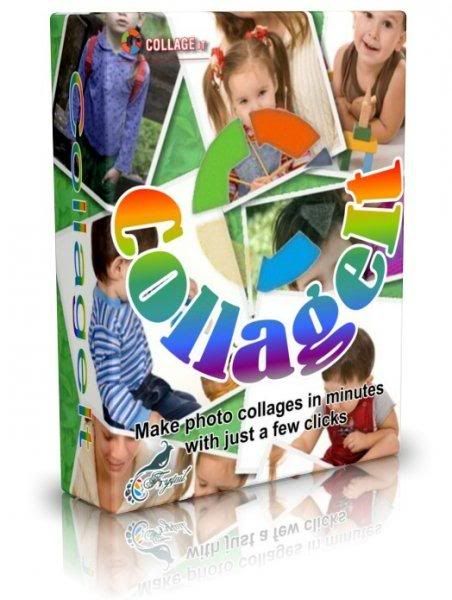
Collage It - Make photo collages in minutes with just a few clicks. CollageIt is an easy-to-use and automatic collage maker, which makes photo collage automatically. There are only three steps to make your stunning collage: add photo, set parameters and generate collage preview, save collage as image format, such as BMP, JPEG, PNG, TGA, GIF etc.
Features:
Generate collage in an automatic way; Click “Generate Preview” button, CollageIt will create photo collage automatically according to the added photos and parameters without any manual adjustment.
Easy-to-Use; Easy enough for users of all experience levels to use. Pretty collage will be made by just few mouse clicks.
Just 3 steps required; Just 3 steps to make a collage: add photos-> set parameters and generate preview->save collage as image file.

Provide enhanced features and functionality to create diverse types of collage; Support creating collage with few photos to 100 photos. The "Auto rotation mode" and "Sparse mode" make the collage more varied.
Realtime preview, super speed; Preview the final collage in one second.

Variable parameters; Number of photo, photo space, photo frame, shadow, page margin, auto rotation mode, sparse mode, page size and background setup.

Save and share collage; Save the collage in common image formats such as bmp, jpeg, png, tga, tif etc to share with your friends and family.

SIZE: 11,08 MB

12/10/2010

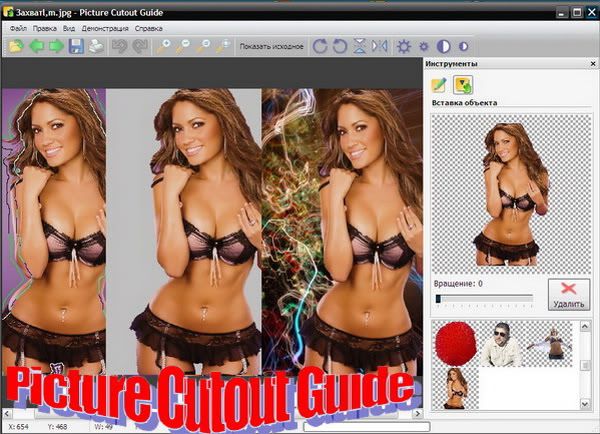
Picture Cutout Guide 2.0 Portable

Picture Cutout Guide - separates objects from the background, makes a photomontage. Separates solid objects from an arbitrary background, allows transferring objects to another photo. Allows applying background effects. Fill with the selected color, shadow and blur with selection and density.

Program offers these tools:
Wide Edge - allows you to separate an object from its background and to store it for later transfer to another photo; applies background effects; Paste Object - pastes a separated image into another photo. Picture Cutout Guide includes animated demo samples: the program features; indication the object boundary; simple background erase; the background effects; complex background erase; photomontage.

SIZE: 7,56 MB

12/08/2010

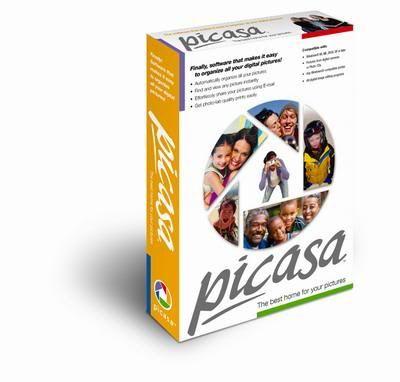
Google Picasa 3.6.105.67 Portable

Picasa Web Albums is the fast and easy way to put your photos on the web. Just select the photos in Picasa that you want to share and click to publish. In seconds, those photos are on your own web page, ready to share with the people you know. Check out a few things you can do with Picasa Web Albums.


SIZE: 18,48 MB

11/30/2010

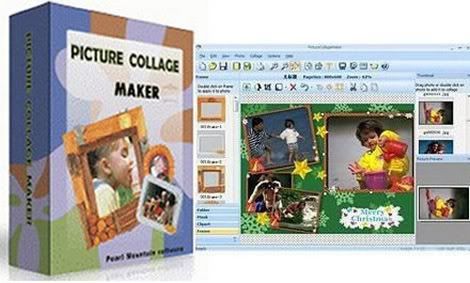
Picture Collage Maker PRO 2.4.4.3181 Portable

Picture Collage Maker is a fun and easy to use program for creating photo collages and digital scrapbooks from your digital photos to share with friends and family-whether you're just starting out or have been collaging for years. You can also create your calendar, greeting card, invitation card,poster, and any photo-related artwork that you can imagine! Whether you see collaging as a relaxing pastime or a way of life, Picture Collage Maker can improve your efficiency, save you money and help you transform your priceless photos into precious memories.

Picture Collage Maker, a simple-to-use Windows program that turns ordinary photos and pictures into stunning keepsakes to share with family and friends. With just a few clicks, you can create collages, scrapbooks, posters, invitations, calendars, and greeting cards. Unlike photography software that takes days to master, Picture Collage Maker lets both seasoned collagers and new hobbyists become productive in minutes.
Features
• Create customized photo wallpaper or photo album.
• Extremely easy to use. No Experience Or Computer Skills Necessary!
• A graphics editor which was specifically designed to create stunning photo album.
• Edit and correct photos. Apply boarder ,mask and other effects to your photos.
• Make it simple and fun to display photo slideshow on your Windows desktop.
• Support the most popular images formats: .bmp, .jpg, .gif, .png, .dib etc

Size: 52,19 MB

11/29/2010

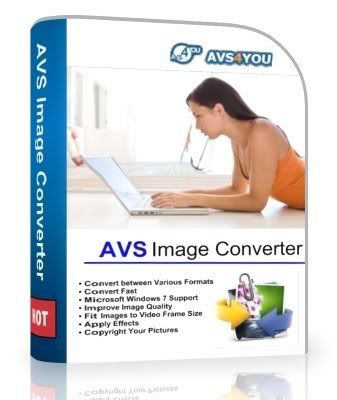
AVS Image Converter 1.3.2.141 Portable

AVS Image Converter - convert piles of images to all key formats at one go! Make quick adjustments - resize, rotate, apply auto-correction settings. Select between a number of effects. Get your pictures ready to be printed or uploaded to websites!
 
Using AVS Image Converter you can:
- Convert several image files from one format to another;
- Create animated GIF and PNG images;
- Correct your pictures: rotate them, adjust brightness, contrast and colors, apply various effects and use auto color correction options;
- Resize and crop your photos;
- Add text or image watermark to your pictures;
- View all the modifications while editing using the preview window;
- Visually judge the progress of the image conversion process;
- Convert your images from one format to another without opening the program using the right-click menu.

SIZE: 18,9 MB

11/26/2010

Photo Calendar Maker 1.57 Portable

Photo Calendar Maker is a new application to create beautiful photo calendars for a year or month. Using the program, you can quickly create stylish, professional-looking calendars with photos. To begin, the user needs to select the format and design and add a photo. The calendar is ready! The program lets you create hundreds of calendar variants in many styles: classic or modern, standard or refined, business-like or romantic. The program comes with the pack of templates, created by professional designers.
 
Photo Calendar Maker key features:
- Ability to create professional-looking photo calendars for any year or month.
- It enables to easily personalize your calendar with text at any location.
- Dozens of beautiful photo calendar templates in many styles.
- Customize national and religious holidays.
- Ability to create your calendar in your language.
- New! Ability to create a calendar with photo collage.

SIZE: 21,79 MB

11/25/2010

Animated Wallpaper Maker 2.5.1 Portable

Breathe new life into your desktop! Animated Wallpaper Maker will help you turn your static photos into animated pictures and set them as your desktop background. You can animate any photo you have. Really! You don’t need expensive, complicated software anymore. You can create your own animated wallpaper in just a few mouse clicks. Load a picture, adjust animation parameters, and place the result on your desktop.
 
Animated Wallpapers supports Windows XP, Vista and Windows 7.

HOW IT WORKS

Animated Wallpaper Maker is all-in-one solution for customizing your desktop background with amazing animations effects. It contains an editor that allows you to add animation to standard windows wallpaper (supporting all common image formats) and a built-in player replaces the static windows background with an animated one. The wallpaper animation requires minimum system resources and can be disabled/enabled at will.

FEATURES

* Free to try. Just download and install our trial version. No fee, no registration needed. Evaluate animated wallpapers on your desktop right now!
* Realistic live animation effects. Animated Wallpaper Maker uses up-to-date computer graphic effects for the best picture quality.
* Low resource requirements. Our software was designed to work jointly with office and home software without slowing it down.
* Wallpaper slideshow mode. Animated Wallpaper Maker can operate as wallpaper changer with a smooth fade in/fade out effect.
* Windows Vista/XP support. Animated wallpapers work correctly in both versions of Windows: XP and Vista.
* Instant support.. All registered users are provided with priority technical support. Feel free to contact us with any software-related questions.

SIZE: 6,54 MB