SIZE: 5,90 MB
Showing posts with label OFFICE. Show all posts
12/21/2010
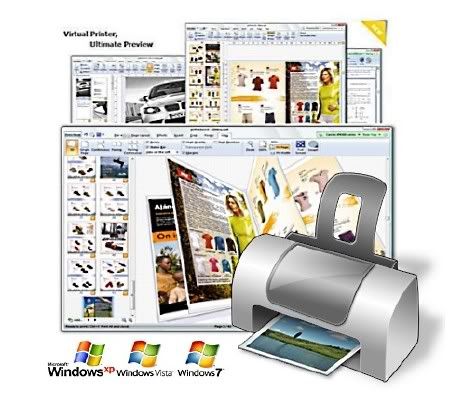
priPrinter Professional Edition 3.3.2.1081 Final Portable
priPrinter is a printer driver that allows you to manipulate printer output before it is printed. priPrinter is installed and selected in the same way as other printer drivers. After printing it automatically displays print preview where you can preview your printings, change layout, reposition pages, crop them and many more. After that you print it to the real printer or save your document for later using. With priPrinter you always will be sure how your printings will look. You may measure items on the paper, define margins and pages layout. There is no need to print again and again trying to achieve desired placement.
12/12/2010
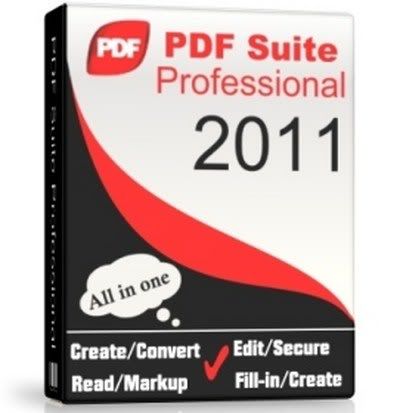
PDF Suite Professional 2011 v 9.0.65.40809 Portable
PDF Suite Professional allows you to read, create, convert, edit, review & secure PDFs. We don’t believe in a steep learning curve or in overpriced PDF applications. With PDF Suite’s intuitive interface, you’ll start managing electronic documents within minutes! You can use PDF Suite to create PDFs from an existing document or start from a blank page. You’ll be able to edit any PDF file by modifying the text or images, create and fill forms, apply 256-bit passwords and restrictions, customize printing… & so much more!
Read/Markup
You will be able to open, save, print and markup any PDF by using PDF Suite.You can view presentations, CVs, E-Books, and many other Electronic documents. With the pencil, watermark, sticker notes, and other markup tools, leave comments on the PDF for peer collaboration.
Create/Convert
PDF Suite has a state-of-the-art converter that can convert ANY printable file into 100% fully readable PDF documents. Convert Word, Excel, PowerPoint, and other MS Office documents to PDF while keeping the formatting. PDF Suite can also convert PDF files back into Word or image files!
Edit/Secure
In just a few clicks, you will start modifying the text & the images of your electronic document. Add, remove, move, resize and rotate any graphical element within your PDF. In addition, PDF Suite offers the highest security functions: apply 256-bit passwords and restrictions to secure your data.
NEW!!! Fill-in/Create PDF Forms
Our newest feature! With PDF Suite, now you can fill out online forms and submit them back to the sender in a couple clicks. We have also included a powerful yet easy-to-use form creator, allowing you to add text fields, numerical fields, radio buttons, and much more, to make any PDF a form that can be filed by anyone with a PDF reader!
Read/Markup
You will be able to open, save, print and markup any PDF by using PDF Suite.You can view presentations, CVs, E-Books, and many other Electronic documents. With the pencil, watermark, sticker notes, and other markup tools, leave comments on the PDF for peer collaboration.
Create/Convert
PDF Suite has a state-of-the-art converter that can convert ANY printable file into 100% fully readable PDF documents. Convert Word, Excel, PowerPoint, and other MS Office documents to PDF while keeping the formatting. PDF Suite can also convert PDF files back into Word or image files!
Edit/Secure
In just a few clicks, you will start modifying the text & the images of your electronic document. Add, remove, move, resize and rotate any graphical element within your PDF. In addition, PDF Suite offers the highest security functions: apply 256-bit passwords and restrictions to secure your data.
NEW!!! Fill-in/Create PDF Forms
Our newest feature! With PDF Suite, now you can fill out online forms and submit them back to the sender in a couple clicks. We have also included a powerful yet easy-to-use form creator, allowing you to add text fields, numerical fields, radio buttons, and much more, to make any PDF a form that can be filed by anyone with a PDF reader!
SIZE: 30,5 MB
12/08/2010
Sumatra PDF 1.3.2395 ML Portable
Sumatra PDF is a slim, free, open-source PDF viewer for Windows. Sumatra has a minimalistic design. Simplicity has a higher priority than a lot of features. It's small and starts up very fast. Options are a little thin on the ground but SumatraPDF provides a very comfortable environment for reading PDFs and you can print documents without much hassle. You can take this over Acrobat any day for looking at eBooks.
It's designed for portable use: it's just one file with no external dependencies so you can easily run it from external USB drive. This classifies it as a portable application. As is characteristic of many portable applications, Sumatra takes up little disk space. It has a 2 MB setup file, compared to Adobe Reader's 33.5 MB, for Windows XP and Vista.
Sumatra does not lock the PDF file. Without closing the PDF file a user can recompile the text document and generate a new PDF file and then press the R key to refresh the PDF document. Printing is achieved in Sumatra by transforming each pdf page into a bitmap image. This results in very large spool files and potentially slow printing on printers with little memory. Hyperlinks that are embedded in PDF documents are not active in Sumatra.
Sumatra is multilingual, with 20 community-contributed translations. Sumatra supports SyncTeX, a bidirectional method for synchronizing TeX source and PDF output produced by pdfTeX or XeTeX.
Sumatra PDF is distributed under GPLv2 license.
Sumatra PDF Portable is the lightweight Sumatra PDF packaged as a portable app, so you can view PDF files on the go. You can place it on your USB flash drive, iPod, portable hard drive or a CD and use it on any computer, without leaving any personal information behind.
Sumatra can do for you:
* open PDF files via menu
* open PDF files via drag & drop
* set different zoom levels via menu
Sumatra does not lock the PDF file. Without closing the PDF file a user can recompile the text document and generate a new PDF file and then press the R key to refresh the PDF document. Printing is achieved in Sumatra by transforming each pdf page into a bitmap image. This results in very large spool files and potentially slow printing on printers with little memory. Hyperlinks that are embedded in PDF documents are not active in Sumatra.
Sumatra is multilingual, with 20 community-contributed translations. Sumatra supports SyncTeX, a bidirectional method for synchronizing TeX source and PDF output produced by pdfTeX or XeTeX.
Sumatra PDF is distributed under GPLv2 license.
Sumatra PDF Portable is the lightweight Sumatra PDF packaged as a portable app, so you can view PDF files on the go. You can place it on your USB flash drive, iPod, portable hard drive or a CD and use it on any computer, without leaving any personal information behind.
Sumatra can do for you:
* open PDF files via menu
* open PDF files via drag & drop
* set different zoom levels via menu
SIZE: 1,99 MB
12/01/2010
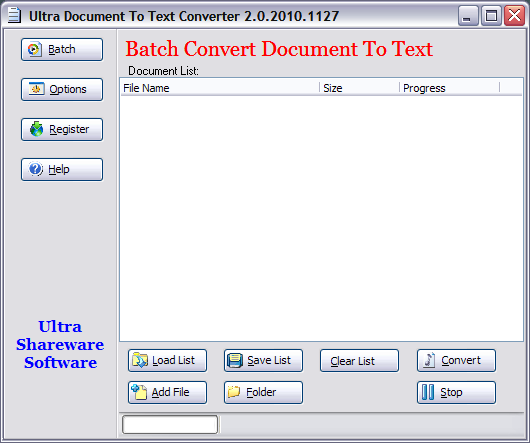
Ultra Document To Text Converter 2.0.2010.1127 Portable
Ultra Document To Text Converter converts PDF, Rich text (*.RTF), Word document (*.DOC, *.DOCX), Powerpoint file (*.PPT, *.PPTX), Excel spreadsheet (*.XLS, *.XLSX), Web pages (*.HTML, *.HTM) and MHT files to text in batch. You don't need to have PDF reader or Office application installed. Just add the PDF, RTF, DOC, DOCX, PPT, PPTX, XLS, XLSX, HTML and MHT files to the list and click "Convert" button. The text will be automatically extracted quickly
Highlight Features:
Support typical PDF format.
Convert PDF to text in batch mode.
Convert doc to text
Convert xls to text
Convert ppt to text
Convert docx to text
Convert xlsx to text
Convert pptx to text
Convert rtf to text
Convert html, mht, htm to text
Standalone application without other dependencies like PDF readers or Office
Easy to use UI design. Support drag drop.
Support command line mode
Support Office 2007, convert docx, xlsx, pptx into text
Support typical PDF format.
Convert PDF to text in batch mode.
Convert doc to text
Convert xls to text
Convert ppt to text
Convert docx to text
Convert xlsx to text
Convert pptx to text
Convert rtf to text
Convert html, mht, htm to text
Standalone application without other dependencies like PDF readers or Office
Easy to use UI design. Support drag drop.
Support command line mode
Support Office 2007, convert docx, xlsx, pptx into text
Size: 3,06 MB
11/26/2010
Wondershare PDF Converter 2.5.0.8 Portable
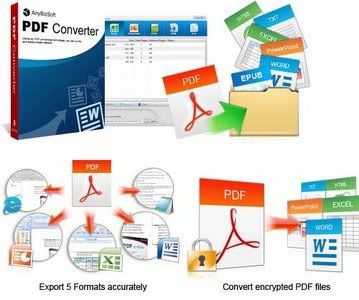
PDF Converter is a 6-in-1 PDF utility to convert PDF to Word, Excel, PowerPoint, EPUB, Text and HTML. After conversion, all the original text, images, graphics, tables, hyperlinks, layout and formatting are exactly preserved. Then you can edit, display, publish or read PDF content easily and flexibly.
Edit PDF files in Microsoft Office easily
Sometimes people need to modify typos and misspellings or fulfill the forms in PDF files. Adobe Acrobat can make it well, but it is an expensive and difficult-to-grasp application. With PDF Converter, users can convert PDF files to editable Office formats and then users can edit the content easily.
Read PDF eBooks like real books on iPad, iPhone, iTouch, etc. New!
Reading PDF eBooks on your e-readers is tough, because width of the PDF eBook is fixed, so you need to drag the bar from left to right to read a line text each time. But now with PDF Converter, you can stop dragging and read your PDF eBooks like real books. Just convert PDF to EPUB, and you’ll find that contents in EPUB eBooks can self-adjust the screen size of your iPad, iPhone, iTouch, Sony Readers, etc. So amazing!
Print restricted PDF files
PDF Converter supports encrypted PDF files conversion. For the PDF file restricted from printing, PDF converter can remove the restriction and convert it directly. After conversion, you can print the converted file easily.
Save money and time
PDF Converter offers two conversion modes: Batch and Partial conversion modes help users convert PDF files efficiently and accurately. Batch conversion converts up to 200 PDF files at one time and Partial conversion allow users to choose the page range or specific pages to convert.
Sometimes people need to modify typos and misspellings or fulfill the forms in PDF files. Adobe Acrobat can make it well, but it is an expensive and difficult-to-grasp application. With PDF Converter, users can convert PDF files to editable Office formats and then users can edit the content easily.
Read PDF eBooks like real books on iPad, iPhone, iTouch, etc. New!
Reading PDF eBooks on your e-readers is tough, because width of the PDF eBook is fixed, so you need to drag the bar from left to right to read a line text each time. But now with PDF Converter, you can stop dragging and read your PDF eBooks like real books. Just convert PDF to EPUB, and you’ll find that contents in EPUB eBooks can self-adjust the screen size of your iPad, iPhone, iTouch, Sony Readers, etc. So amazing!
Print restricted PDF files
PDF Converter supports encrypted PDF files conversion. For the PDF file restricted from printing, PDF converter can remove the restriction and convert it directly. After conversion, you can print the converted file easily.
Save money and time
PDF Converter offers two conversion modes: Batch and Partial conversion modes help users convert PDF files efficiently and accurately. Batch conversion converts up to 200 PDF files at one time and Partial conversion allow users to choose the page range or specific pages to convert.
SIZE: 12,82 MB
11/23/2010
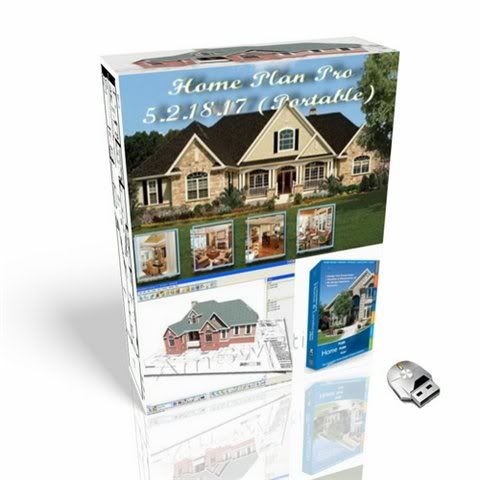
Home Plan Pro 5.2.23.24 Portable
Home Plan Pro is designed to easily draw good-quality, straightforward designs. Home Plan Pro is created to quickly and easily draw good-quality, straightforward designs. Many CAD programs are designed for architects and engineers. These can be expensive, as well as hard to learn, and difficult to use. Multiple drawing layers. Metric or USA Measurements. Hundreds of Resizeable, Rotatable Figures. Print on any paper your Windows printer driver supports.
Features:
· Integrated on-line help
· Built-in fax driver faxes your plans anywhere in the world
· Dozens of Fill Patterns
· Draw with Mouse and Keyboard
· Choose drawing colors, line styles, fill patterns, etc.
· Draw objects from a few inches to thousands of feet in size
· Resolutions down to 1/16 of an Inch when zoomed in
· Save Drawing in bitmap or vector format
· Optional, Adjustable Snap Grid
· keep an Activity Log to track your time on each plan
· Fill any Wall with framing, patterns or solid colors
· Calculate Square Feet or Meters
· Clip and Save Sections for Use in Other Drawings
· Delete Drawing Objects or User-defined Sections
· Dozens of Fill Patterns
· Draw with Mouse and Keyboard
· Hundreds of Resizeable, Rotatable Figures
· Measure Cursor Movement with On-screen "Odometers"
· Multiple Line Styles
· Multiple Text Sizes
· Repeat or Clone the Last Action
· Resize All or Part of Drawings
· Undo/Redo the Last Action
· View & Delete Individual Elements from Drawing
· Zoom In or Out
· Integrated on-line help
· Built-in fax driver faxes your plans anywhere in the world
· Dozens of Fill Patterns
· Draw with Mouse and Keyboard
· Choose drawing colors, line styles, fill patterns, etc.
· Draw objects from a few inches to thousands of feet in size
· Resolutions down to 1/16 of an Inch when zoomed in
· Save Drawing in bitmap or vector format
· Optional, Adjustable Snap Grid
· keep an Activity Log to track your time on each plan
· Fill any Wall with framing, patterns or solid colors
· Calculate Square Feet or Meters
· Clip and Save Sections for Use in Other Drawings
· Delete Drawing Objects or User-defined Sections
· Dozens of Fill Patterns
· Draw with Mouse and Keyboard
· Hundreds of Resizeable, Rotatable Figures
· Measure Cursor Movement with On-screen "Odometers"
· Multiple Line Styles
· Multiple Text Sizes
· Repeat or Clone the Last Action
· Resize All or Part of Drawings
· Undo/Redo the Last Action
· View & Delete Individual Elements from Drawing
· Zoom In or Out
Size (RAR): 4.74 Mb
2% recovery record
2% recovery record
Subscribe to:
Posts (Atom)